



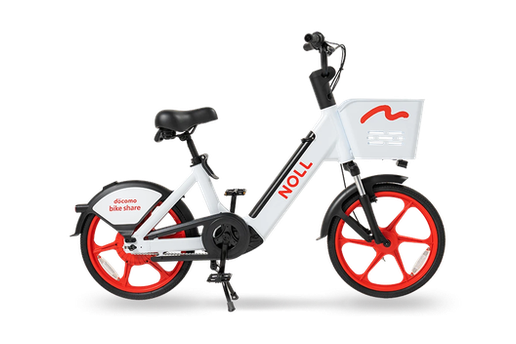


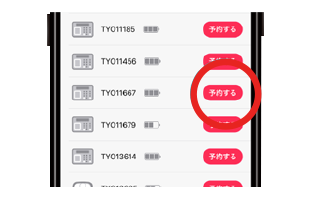
Select the port where you want to borrow a vehicle in the app and reserve a vehicle in advance.
You can also borrow directly without making a reservation. Follow the steps from STEP 2.
* Vehicle reservations are valid for 20 minutes. They are automatically canceled after the time limit.
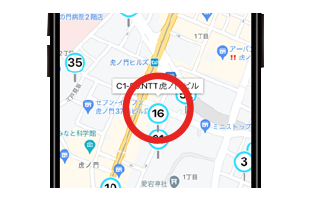
Select the port where you want to borrow a vehicle from the map.
* Registering ports as favorites makes them easier to use.

Select "No control terminal" in the app to open the QR code scanner.
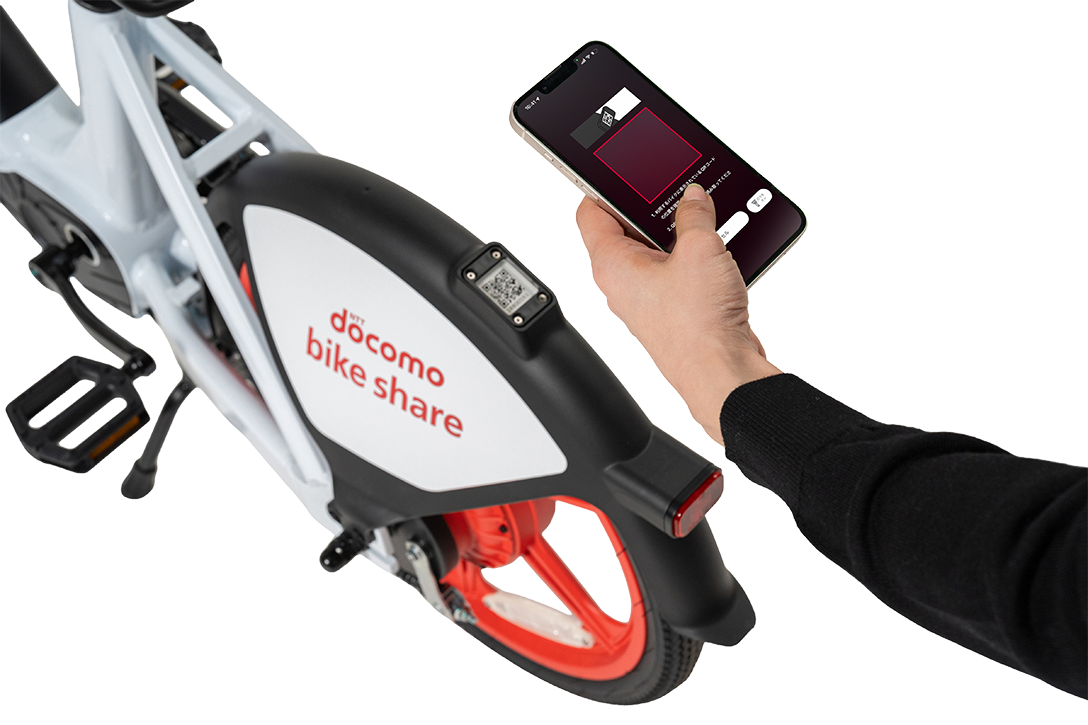
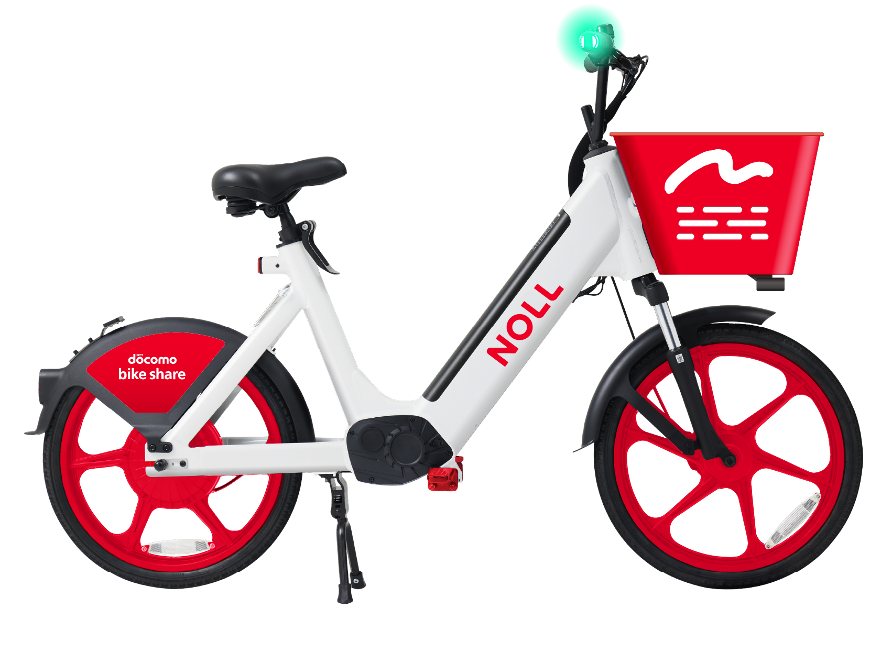
Scan the QR code on the rear wheel area of the vehicle.
* Smartphone keys and card keys cannot be used.

The lock unlocks automatically and the vehicle is ready to use.
* Fees are charged from unlocking until return.
Select "Round control terminal" in the app to open the QR code scanner.

Press the Start button on the round control terminal under the saddle, then scan the QR code.
* If you use an IC card, hold the card over the terminal to unlock.
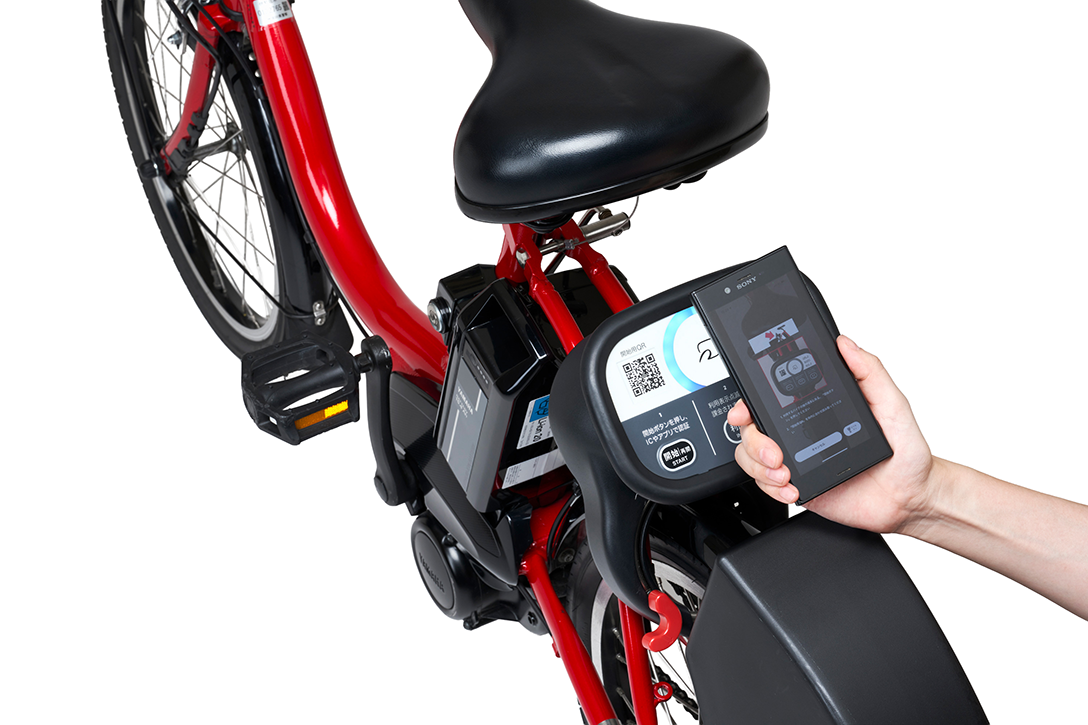
The lock unlocks automatically and the vehicle is ready to use.
* Fees are charged from unlocking until return.
Select "Square control terminal" in the app to open the QR code scanner.
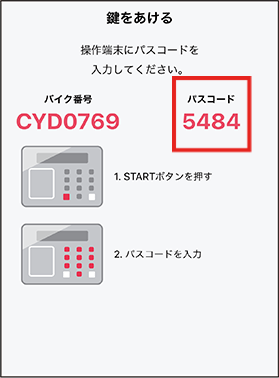
Press the START button on the control terminal, then scan the QR code.
* If you use an IC card, hold the card over the terminal to unlock.
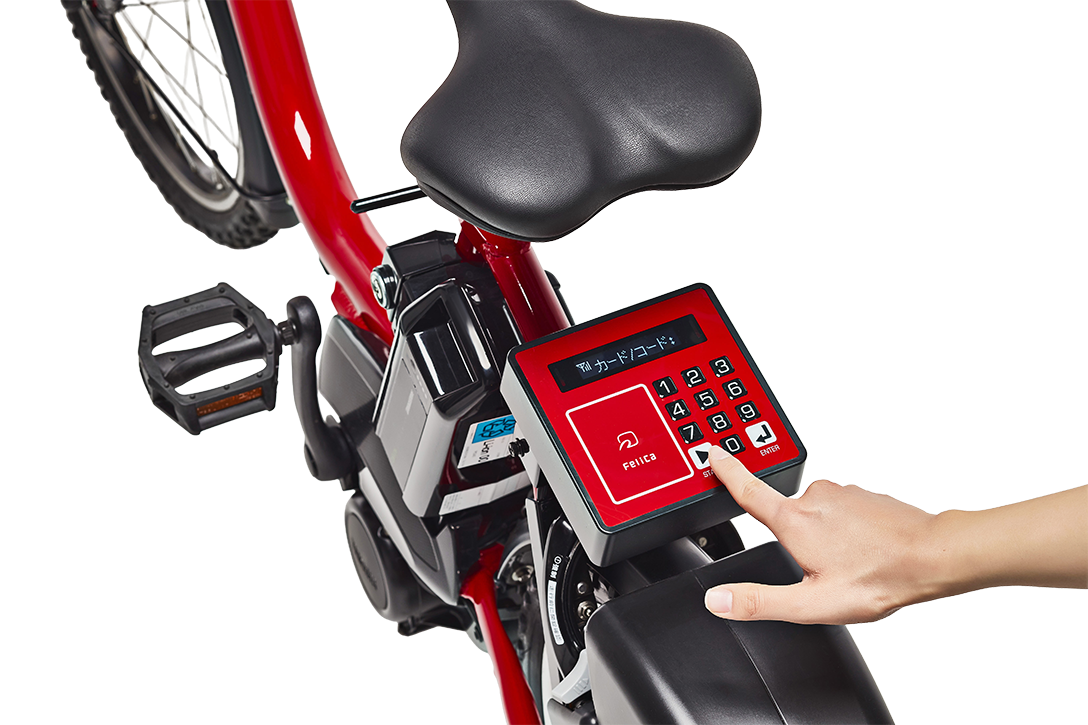
The lock unlocks automatically and the vehicle is ready to use.
* Fees are charged from unlocking until return.
Select the port where you want to borrow a vehicle in the app and reserve a vehicle in advance.
* Vehicle reservations are valid for 20 minutes. They are automatically canceled after the time limit.
Select the port where you want to borrow a vehicle from the map.
* Registering ports as favorites makes them easier to use.
Select "No control terminal" in the app to open the QR code scanner.

Scan the QR code on the rear wheel area of the vehicle.
* Smartphone keys and card keys cannot be used.

The lock unlocks automatically and the vehicle is ready to use.
* Fees are charged from unlocking until return.
\ Start riding in just 1 minute* /
Download the NOLL App
and Register Now
※ Excludes some system service areas
※ For specified small vehicles, license registration and traffic test completion are required before use.
Select the port where you want to borrow a vehicle in the app and reserve a vehicle in advance.
You can also borrow directly without making a reservation. Follow the steps from STEP 2.
* Vehicle reservations are valid for 20 minutes. They are automatically canceled after the time limit.
Select the port where you want to borrow a vehicle from the map.
* Registering ports as favorites makes them easier to use.
Select "No control terminal" in the app to open the QR code scanner.
Scan the QR code on the rear wheel area of the vehicle.
* Smartphone keys and card keys cannot be used.
The lock unlocks automatically and the vehicle is ready to use.
* Fees are charged from unlocking until return.
Select "Round control terminal" in the app to open the QR code scanner.
Press the Start button on the round control terminal under the saddle, then scan the QR code.
* If you use an IC card, hold the card over the terminal to unlock.
The lock unlocks automatically and the vehicle is ready to use.
* Fees are charged from unlocking until return.
Select "Square control terminal" in the app to open the QR code scanner.
Press the START button on the control terminal, then scan the QR code.
* If you use an IC card, hold the card over the terminal to unlock.
The lock unlocks automatically and the vehicle is ready to use.
* Fees are charged from unlocking until return.
Select the port where you want to borrow a vehicle in the app and reserve a vehicle in advance.
* Vehicle reservations are valid for 20 minutes. They are automatically canceled after the time limit.
Select the port where you want to borrow a vehicle from the map.
* Registering ports as favorites makes them easier to use.
Select "No control terminal" in the app to open the QR code scanner.
Scan the QR code on the rear wheel area of the vehicle.
* Smartphone keys and card keys cannot be used.
The lock unlocks automatically and the vehicle is ready to use.
* Fees are charged from unlocking until return.

On note, we share brand stories, behind-the-scenes development insights, and our passion.
DOCOMO BIKESHARE Official Note
\ Start riding in just 1 minute* /
Download the
NOLL App
and Register Now
※ Excludes some system service areas
※ For specified small vehicles, license registration and traffic test completion are required before use.


