



docomo bike share service has been renamed to "NOLL".
FAQ

User Guide

About the App

How to Read the App Screen

Available Vehicles

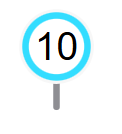
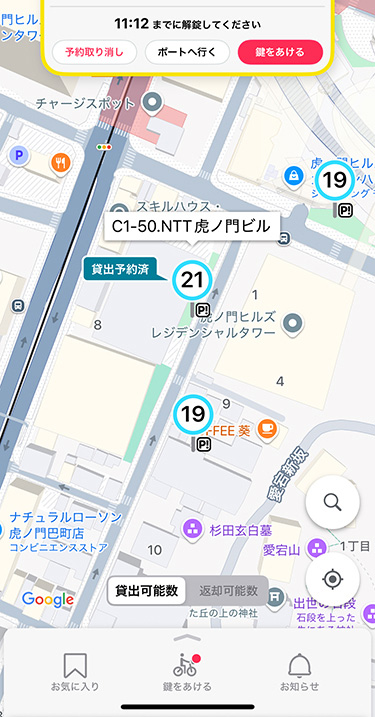
There is at least one vehicle available to rent. The number inside the circle shows how many vehicles are available at the port.

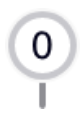
There are no vehicles available at this port. Please rent a vehicle at another port.

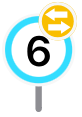
This is a port shared with other operators.
You can rent and return bike-share vehicles here, and other companies' bicycles are also parked at this port.

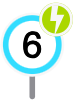
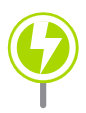
Indicates a battery replacement and charging port. Please check the port details for more information.

This is a battery replacement location.
If your battery runs out, you can swap it at the store.

Return Availability

This port can accept returns without a parking capacity limit.

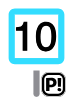
There is at least one rack available for returns. The number inside the square indicates the remaining return capacity at the port.

There are no racks available for returns, so you cannot return here. Please return your vehicle at another port.

Icons Below the Port Pin

Check business hours

  • Ports with this icon are not open 24 hours. Please check the borrowing and return hours before use.

Check the capacity when returning

  • Ports with this icon have a parking capacity limit. If the number of vehicles exceeds the allowed limit, you cannot return your vehicle here.

Battery Mark on the
Port Details Screen

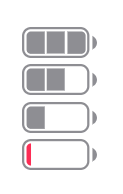
Displays the bicycle's battery level in four stages. Please use it as a guide.

About the Home Screen

1. Status display

  • Shows one of the following states: no reservation, reserved, or in use.
    The display updates every minute, so please wait if it does not change immediately.

2. Current location button

  • Displays the map around your current location.
    Permission to access location information is required.

3. Search button

  • Search for ports by area, place name, station name, and more.

4. Menu

  • Favorites: View ports you marked as favorites from the port details screen in a list.
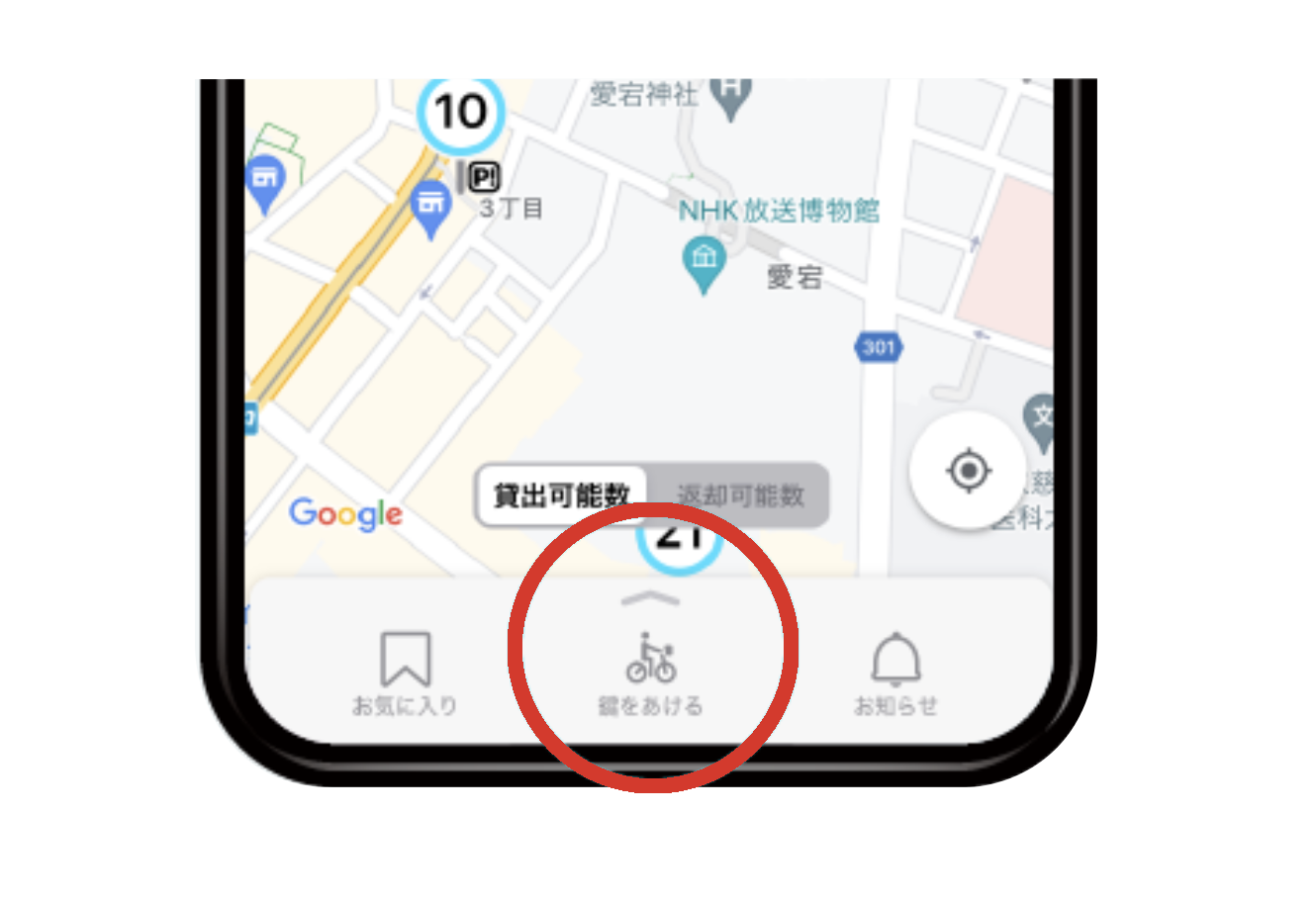
  • Unlock: Tap here if you want to ride the bicycle right in front of you.
  • Notices: Check announcements from the operator and notifications for you.
  • Report an issue: Easily report a bicycle problem. If you return it to the same port within 5 minutes after unlocking, no usage fee will be charged.
  • Usage history: Displays the past two months of usage history. You can also issue receipts here.
  • Support: Submit questions through the FAQ or contact form.
  • Account: Check and update your registered information. Preparation for electric tricycle use and card/smartphone key registration are also available here.
  • How to use: Check how to unlock and lock the bicycle and other usage instructions.
  • Other: Check information related to the service and the app.
About the App

How to Reserve

How to Reserve

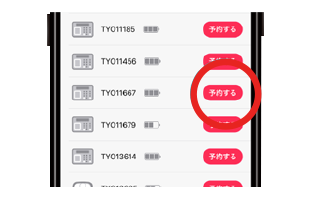
Select the port where you want to borrow a vehicle in the app and reserve a vehicle in advance.
(You can also borrow directly without making a reservation. Follow the steps from STEP 2.)

* Vehicle reservations are valid for 20 minutes. They are automatically canceled after the time limit.
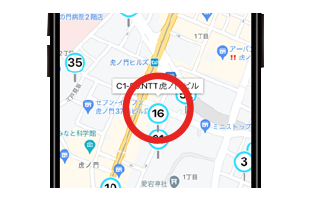
Select the port where you want to borrow a vehicle from the map.

* Registering ports as favorites makes them easier to use.
STEP.2

Choose a vehicle at the port, then tap "Unlock" in the official app menu.

App screen for tapping Unlock in the menu

Detailed Guides

Other Information

Contact Us

NOLL

\ Easy sign-up on your smartphone /

Download the NOLL App
and Register Now

QRコード

User Guide

About the App

How to Read the App Screen

Available Vehicles

There is at least one vehicle available to rent. The number inside the circle shows how many vehicles are available at the port.

There are no vehicles available at this port. Please rent a vehicle at another port.

This is a port shared with other operators.
You can rent and return bike-share vehicles here, and other companies' bicycles are also parked at this port.

Indicates a battery replacement and charging port. Please check the port details for more information.

This is a battery replacement location.
If your battery runs out, you can swap it at the store.

Return Availability

This port can accept returns without a parking capacity limit.

There is at least one rack available for returns. The number inside the square indicates the remaining return capacity at the port.

There are no racks available for returns, so you cannot return here. Please return your vehicle at another port.

Icons Below the Port Pin

Check business hours

  • Ports with this icon are not open 24 hours. Please check the borrowing and return hours before use.

Check the capacity when returning

  • Ports with this icon have a parking capacity limit. If the number of vehicles exceeds the allowed limit, you cannot return your vehicle here.

Battery Mark on the
Port Details Screen

Displays the bicycle's battery level in four stages. Please use it as a guide.

About the Home Screen

1. Status display

  • Shows one of the following states: no reservation, reserved, or in use.
    The display updates every minute, so please wait if it does not change immediately.

2. Current location button

  • Displays the map around your current location.
    Permission to access location information is required.

3. Search button

  • Search for ports by area, place name, station name, and more.

4. Menu

  • Favorites: View ports you marked as favorites from the port details screen in a list.
  • Unlock: Tap here if you want to ride the bicycle right in front of you.
  • Notices: Check announcements from the operator and notifications for you.
  • Report an issue: Easily report a bicycle problem. If you return it to the same port within 5 minutes after unlocking, no usage fee will be charged.
  • Usage history: Displays the past two months of usage history. You can also issue receipts here.
  • Support: Submit questions through the FAQ or contact form.
  • Account: Check and update your registered information. Preparation for electric tricycle use and card/smartphone key registration are also available here.
  • How to use: Check how to unlock and lock the bicycle and other usage instructions.
  • Other: Check information related to the service and the app.
About the App

How to Reserve

How to Reserve

Select the port where you want to borrow a vehicle in the app and reserve a vehicle in advance.
(You can also borrow directly without making a reservation. Follow the steps from STEP 2.)

* Vehicle reservations are valid for 20 minutes. They are automatically canceled after the time limit.

Select the port where you want to borrow a vehicle from the map.

* Registering ports as favorites makes them easier to use.
STEP.2

Choose a vehicle at the port, then tap "Unlock" in the official app menu.

App screen for tapping Unlock in the menu

Detailed Guides

Other Information

Contact Us

On note, we share brand stories, behind-the-scenes development insights, and our passion.

DOCOMO BIKESHARE Official Note
NOLL

\ Easy sign-up on your smartphone /

Download the

NOLL App

and Register Now