
docomo bike share service has been renamed to "NOLL".
FAQ

User Guide

How to Use

Card Key / Smartphone Key Settings

Easy unlocking with IC cards and smartphones

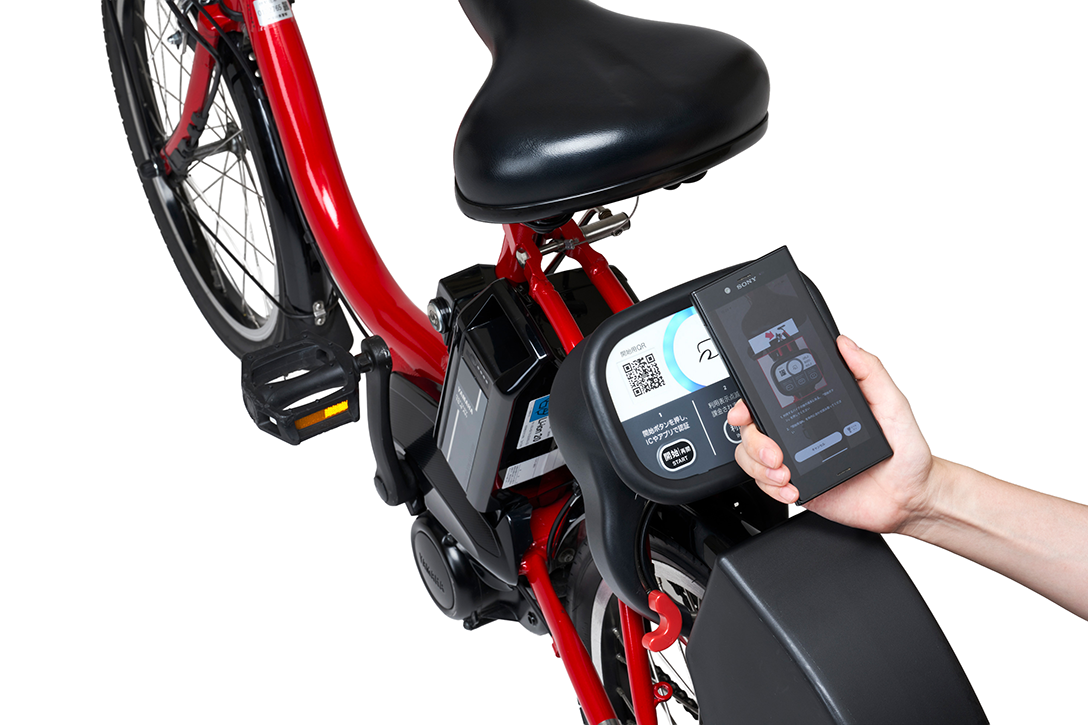
Register a transit IC card, an e-money IC card, or a smartphone as your key in advance, and you can unlock the bike by simply holding it over the terminal and start riding without opening the app.

* Compatible with square and round control terminals.
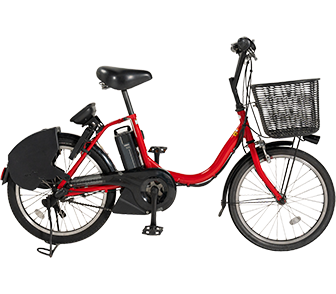
Bicycle with a card key or smartphone key set up
※

Notes Before Use

・Key availability
Card keys and smartphone keys cannot be used with electric-assist bicycles without a control terminal.

・Key registration
Card keys and smartphone keys must be registered on the bicycle's control terminal the first time only. Registration is not possible while a vehicle is in use, so please register on a vehicle with a square or round control terminal before you start riding or after returning.

・Payment
Even if you register a card key or smartphone key, transit IC cards cannot be used for payment. Please pay usage fees by credit card or d Payment.
STEP.1

In the app, go to "Account" > "Register Card Key / Smartphone Key". Select the key type and follow the instructions.

STEP.2
1

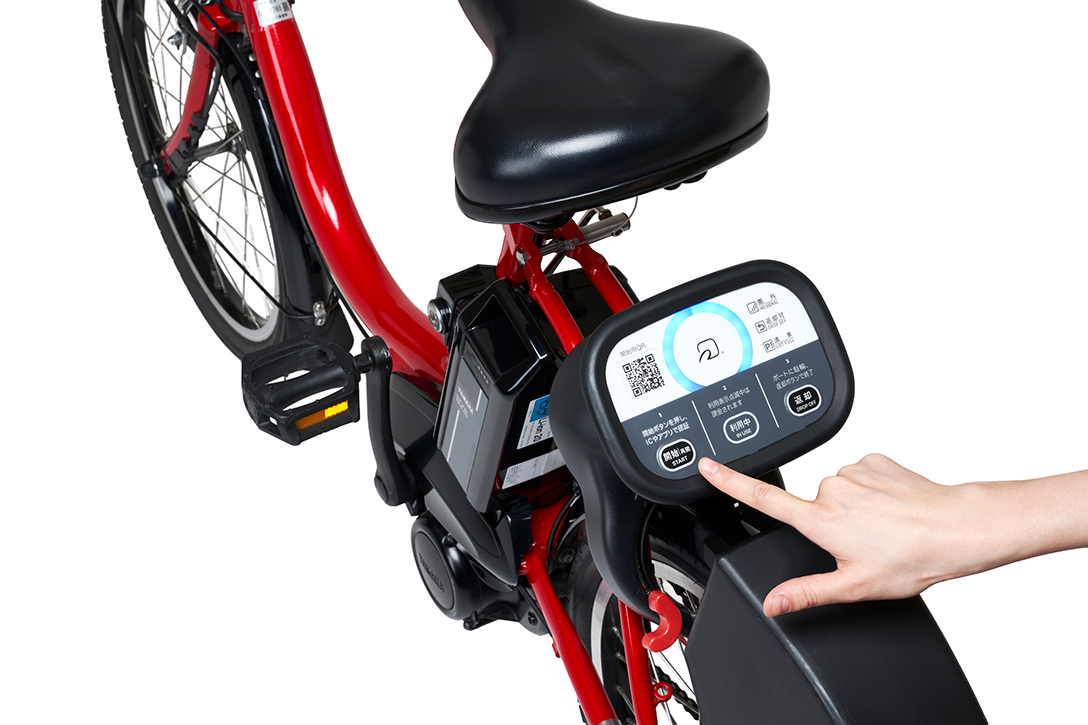
Select "Round control terminal" to open the QR code scanner in the app.

App screen for selecting the round control terminal
2

Press the Start button, then scan the QR code.

QR code location on the round control terminal
3

Hold your IC card or smartphone over the touch zone to complete registration.

* When registration is complete, you will hear an audio guide. Please follow the voice guidance on the control terminal.

STEP.2

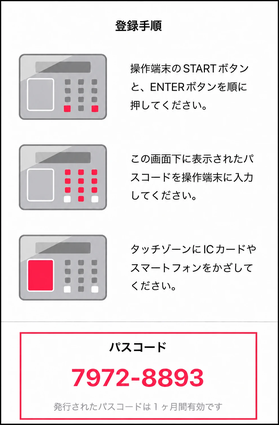
Press the START button, then the ENTER button

1

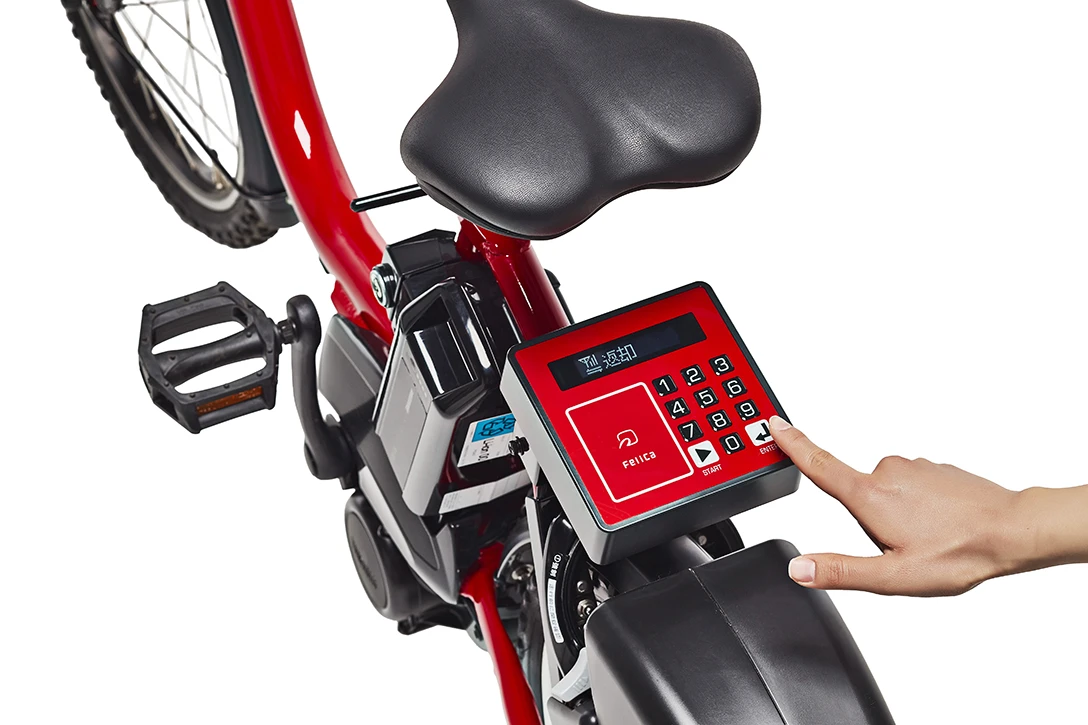
Press the START button, then the ENTER button.

START and ENTER buttons on the square control terminal
2

Enter the 8-digit passcode displayed in the app.

Entering the passcode on the square control terminal
3

Hold your IC card or smartphone over the touch zone to complete registration.

* When registration is complete, "Registration Complete" will be displayed on the control terminal.

Detailed Guides

Other Information

Contact Us

NOLL

\ Easy sign-up on your smartphone /

Download the NOLL App
and Register Now

QRコード

User Guide

How to Use

Card Key / Smartphone Key Settings

Easy unlocking with IC cards and smartphones

Register a transit IC card, an e-money IC card, or a smartphone as your key in advance, and you can unlock the bike by simply holding it over the terminal and start riding without opening the app.

* Compatible with square and round control terminals.

Bicycle with a card key or smartphone key set up
※

Notes Before Use

・Key availability
Card keys and smartphone keys cannot be used with electric-assist bicycles without a control terminal.

・Key registration
Card keys and smartphone keys must be registered on the bicycle's control terminal the first time only. Registration is not possible while a vehicle is in use, so please register on a vehicle with a square or round control terminal before you start riding or after returning.

・Payment
Even if you register a card key or smartphone key, transit IC cards cannot be used for payment. Please pay usage fees by credit card or d Payment.
STEP.1

In the app, go to "Account" > "Register Card Key / Smartphone Key". Select the key type and follow the instructions.

STEP.2
1

Select "Round control terminal" to open the QR code scanner in the app.

App screen for selecting the round control terminal
2

Press the Start button, then scan the QR code.

QR code location on the round control terminal
3

Hold your IC card or smartphone over the touch zone to complete registration.

* When registration is complete, you will hear an audio guide. Please follow the voice guidance on the control terminal.

STEP.2

Press the START button, then the ENTER button

1

Press the START button, then the ENTER button.

START and ENTER buttons on the square control terminal
2

Enter the 8-digit passcode displayed in the app.

Entering the passcode on the square control terminal
3

Hold your IC card or smartphone over the touch zone to complete registration.

* When registration is complete, "Registration Complete" will be displayed on the control terminal.

Detailed Guides

Other Information

Contact Us

On note, we share brand stories, behind-the-scenes development insights, and our passion.

DOCOMO BIKESHARE Official Note
NOLL

\ Easy sign-up on your smartphone /

Download the

NOLL App

and Register Now