Cycle Ports
How to Register
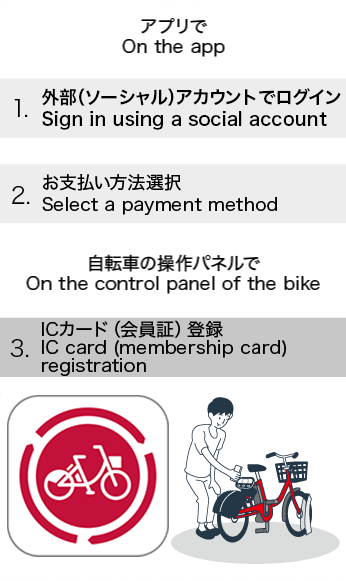
- Sign up via the "Bike Share Service" app
-
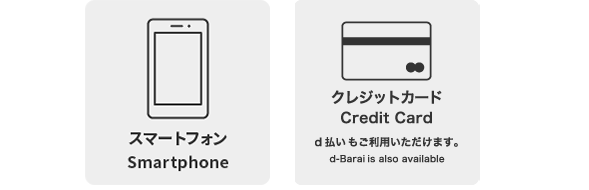
Registration takes as little as 5 minutes. Please have your credit card ready before you begin.
- STEP 1 — What you need
-
- STEP 2 — Download the App
-
Search for "Bike Share Service" on the App Store or Google Play, download the app, and create an account.
You can also use the buttons below to download directly.If you already have an account from another service area, you can ride as a one-time user without re-registering.


- STEP 3 — Membership registration
-
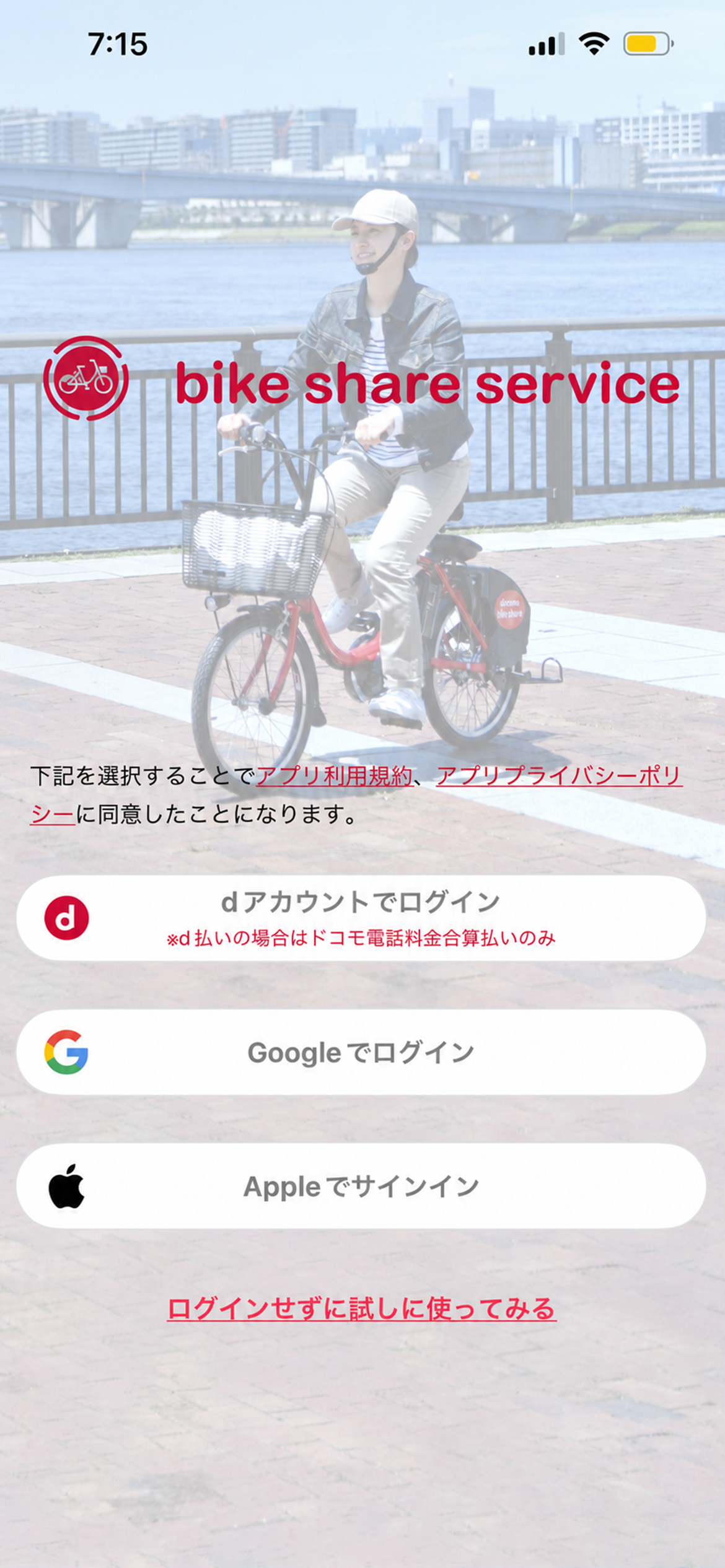
- (1) Choose your account type
New users can sign up with a d-account, Google, or Apple ID.
[Important]
*One account allows the use of one bicycle at a time.
*If a bicycle is left at an unauthorized port, charges will continue to accrue until it is retrieved. Please note that retrieval timing is at our discretion.
- (1) Choose your account type
-
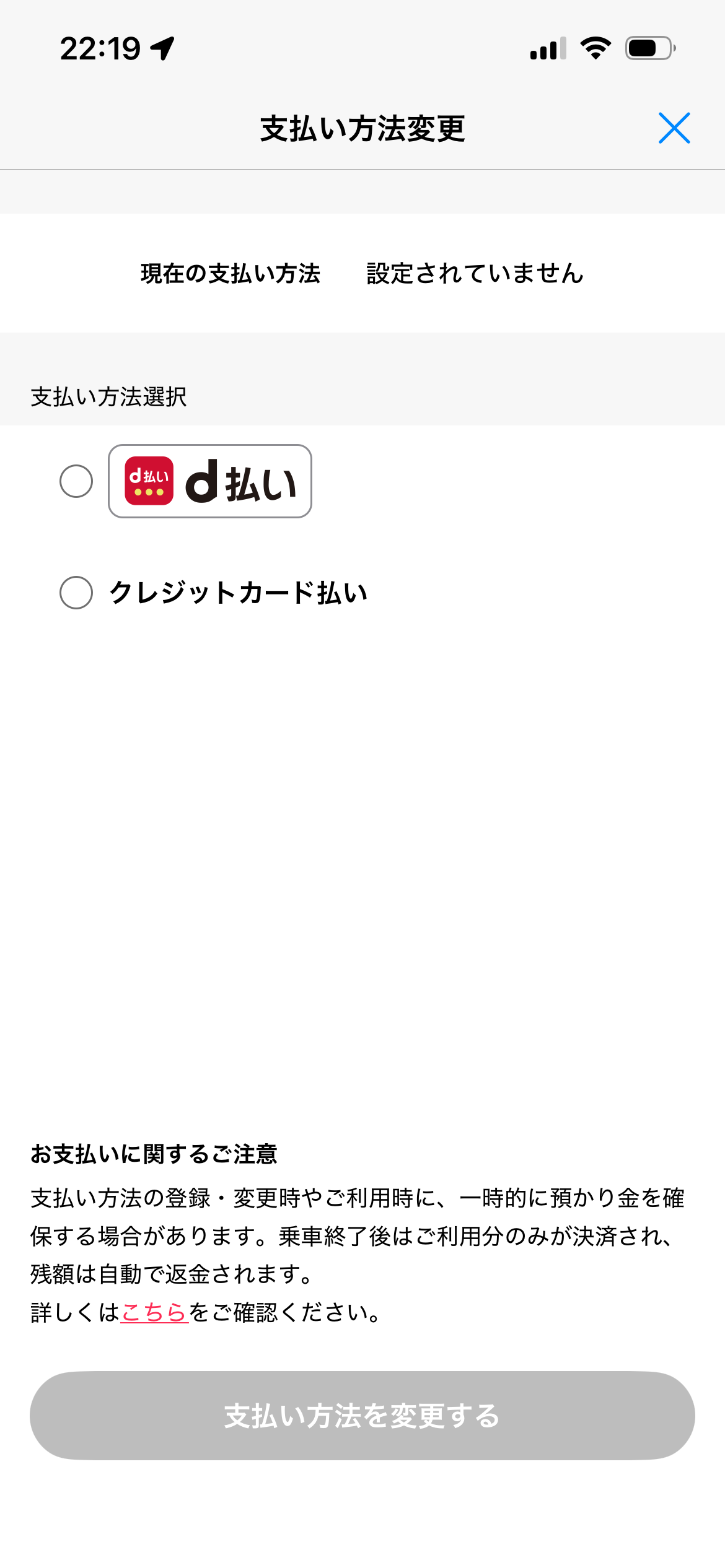
- (2) Choose a payment method
Credit card or d-barai are accepted.
*Debit cards and prepaid cards are not supported.
*A smartphone that can receive SMS messages is required to use this service.
- (2) Choose a payment method
- Unlock faster with a Card Key or Smartphone Key!
-
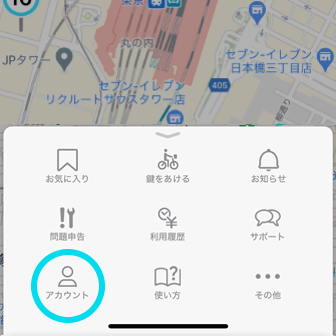
- Register a transit IC card, e-money card, or smartphone as your key to unlock any bicycle with a
simple tap — no app needed at the port.
Go to the Account screen in the app, select "Register Card/Smartphone Key," and follow the on-screen steps. Most major transit IC cards are supported.
*IC cards cannot be used for payment.
- Register a transit IC card, e-money card, or smartphone as your key to unlock any bicycle with a
simple tap — no app needed at the port.
How to Use
- Renting a Bicycle
-
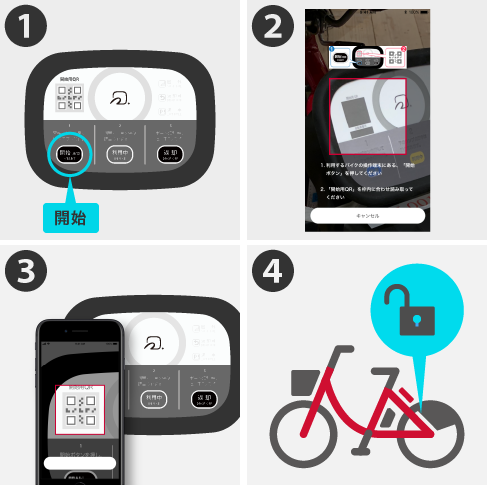
- In the app, tap the round key icon under the Reservation or Unlock menu to open the QR code scanner. Tap "Start" and scan the QR code on the bicycle.
-
*If using an IC card, simply hold it over the reader to unlock the bicycle.
Once unlocked, you're ready to ride.
- Temporary Parking & Re-locking
-
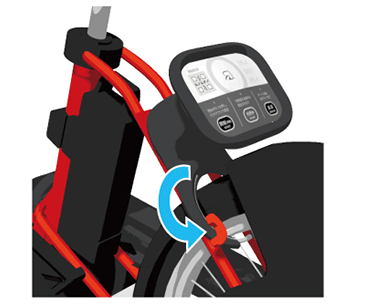
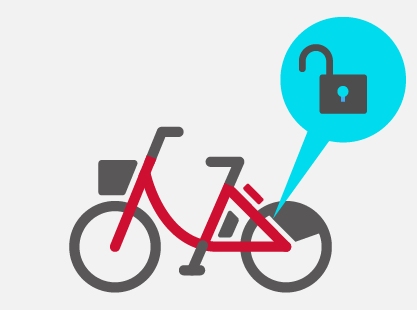
- (1) Stop the bicycle and manually lock the rear wheel.
-
*Registered members will receive a lock confirmation email.
-
- (2) To resume riding, press the "Start" button on the bicycle and unlock it the same way you did
when you first rented it.
- (2) To resume riding, press the "Start" button on the bicycle and unlock it the same way you did
when you first rented it.
- Returning the Bicycle
-
- (1) Park the bicycle at a cycle port and lock it manually.
-
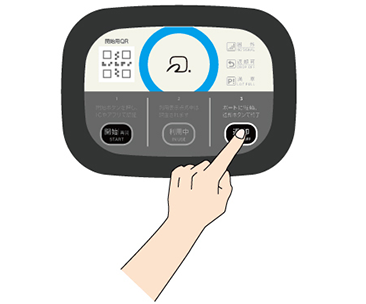
- (2) Press the "Return" button on the bicycle's control panel to complete your return.
- (2) Press the "Return" button on the bicycle's control panel to complete your return.
- Using the Electric Assist Feature
-
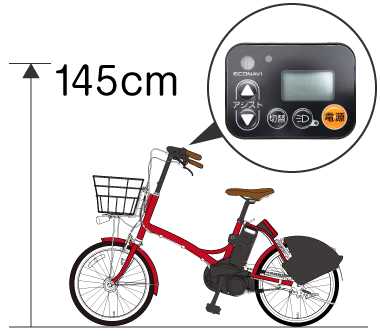
- (1) Press the power button.
- (2) Wait approximately 2 seconds before pedaling.
- *The assist engages as soon as you start pedaling, so take care when setting off.
*Check the battery level before you ride.
- Pre-Ride Safety Inspection
-
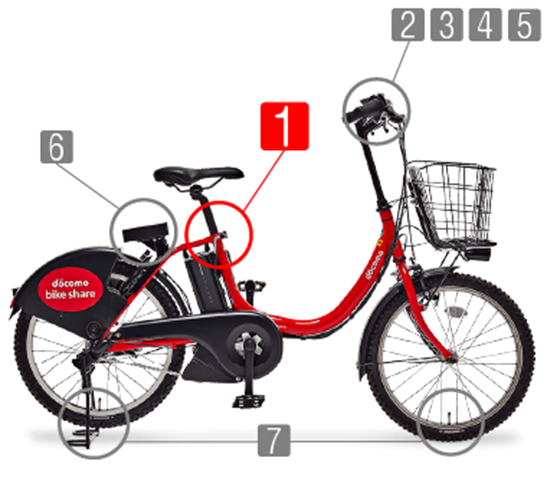
For your safety, always inspect the bicycle before riding. Pay special attention to the following points, as problems with these can cause accidents.
◆ Saddle height
(The seat post must extend at least 12 cm into the frame. A maximum height line is marked on the post — never raise the saddle above it.)
◆ Brakes
(Squeeze each brake lever — it should stay at least 3 cm from the handlebar when fully gripped.)
◆ Tires
(Check that neither tire is flat.)
Our team regularly patrols and repairs bicycles, but previous users may occasionally return them with the saddle too high or a tire punctured. Please check the above before every ride and choose a different bicycle if you notice any issues.
(*You will not be charged if you return the bicycle to the same port within 5 minutes of unlocking.)
Thank you for your understanding and cooperation in keeping our service safe for everyone.
Rates & Hours
- Operating Hours
- Available 24 hours a day (some ports excluded)
- Pricing (tax included)
-
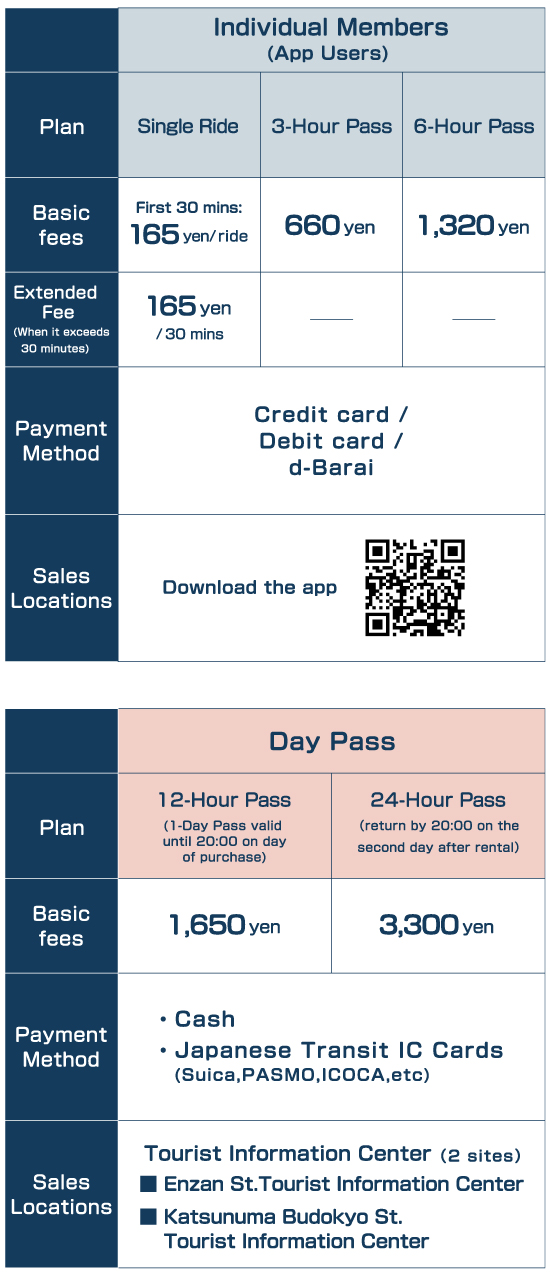
*Always park at designated cycle ports or approved parking facilities at your destination.
Bicycles parked illegally and removed by authorities must be retrieved at your own expense.
For the safe use of bicycles
Bicycles are subject to traffic rules, too. As of April 1, 2026, a traffic penalty notification system (blue tickets) has been introduced for certain traffic violations committed on bicycles. A bicycle is classified as a "light vehicle." Please wear a helmet, follow the traffic rules, and ride safely.
When using this service, please observe the "Five Rules for Safe Bicycle Use."
- 1: Ride on the road as a rule, keeping to the left; sidewalks are the exception, and give priority to pedestrians.
- 2: At intersections, obey traffic signals and stop signs, and check that it is safe to proceed.
- 3: Turn on your lights at night.
- 4: Do not ride under the influence of alcohol.
- 5: Wear a helmet.
*Cycling under the influence of alcohol is prohibited.
Penalties include up to 5 years imprisonment or a fine of up to ¥1,000,000 for drunk cycling.
Specified Commercial Transactions
| Business Name | Koshu City Hall, Tourism and Commerce Division |
|---|---|
| Address | 1085-1 Enzan Kamiozo, Koshu, Yamanashi 404-8501, Japan |
| Website | https://docomo-cycle.jp/koshu/ |
| Phone | |
| Contact Person | Masaki Hayashi, Director, Tourism and Commerce Division, Koshu City Hall |
| Rates & Fees | Please refer to the Rates & Hours section on this page. |
| Service Availability | Your account and bicycles are available immediately upon completing registration. |
| Payment Timing & Method |
[Standard] Monthly usage charges are consolidated and billed to your registered credit card after the fact. The billing date varies by card issuer. |
| [Day Pass] Purchase in advance at a staffed counter. | |
| Cancellation & Withdrawal | You can cancel or withdraw from the service through the app. Please review our Terms of Use for details. |
Privacy Policy
Privacy Policy Regarding Your Personal Information
The Koshu City Hall Tourism and Commerce Division (the "City") is committed to protecting personal information as a core responsibility. To provide customers with confidence and trust, the City has established the policy below and ensures that all staff at our management office and affiliated service counters are fully informed of it. The City handles information relating to both individual customers and corporate clients with the same standard of care.