

Renting and Returning
Register as a member through the official app and use the bike right away.


 How to Use the App
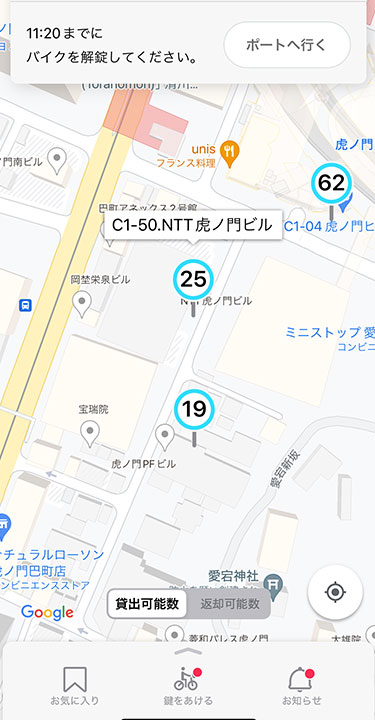
●Number of Bicycles Available for Rental
●Number of Bicycles That Can Be Returned
●Icons Below the Port Pin
●Battery Icon in Port Details
●About the Home Screen
CHECKPlease check first.
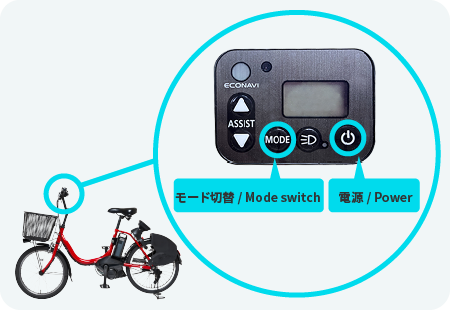
Please turn on the power of the assist operation panel and check the charge level before boarding.
Unlock
There are two ways to rent a room: on the spot or by reservation.
Check points for inspection before riding
[For use with reservation]
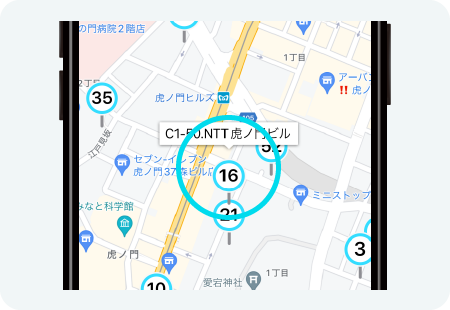
Tap the port you wish to rent.
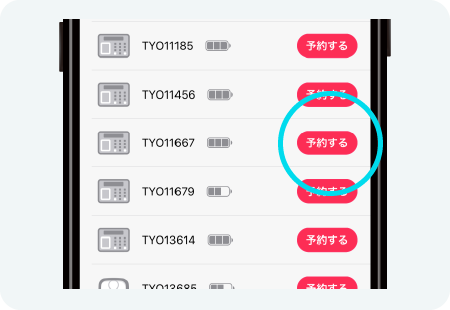
You can make a reservation by tapping the “Reservation” button on the port details screen. No fee is charged during the reservation process.
[For use without reservation]
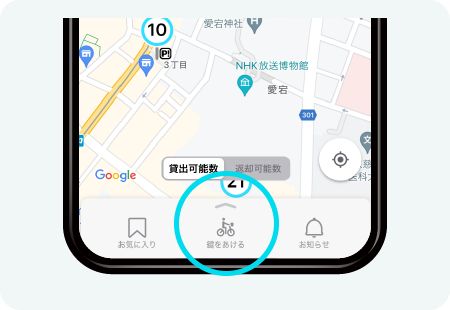
Tap “Unlock” in the menu of the application.
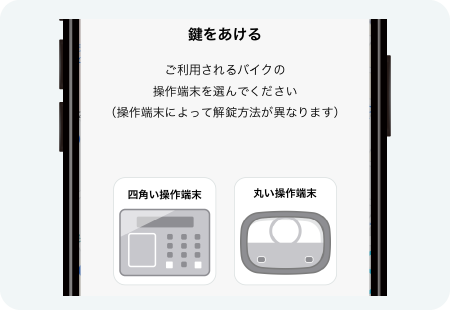
Select the operating terminal located behind the saddle of the bike to be used.
 How to Unlock a Round Console Terminal
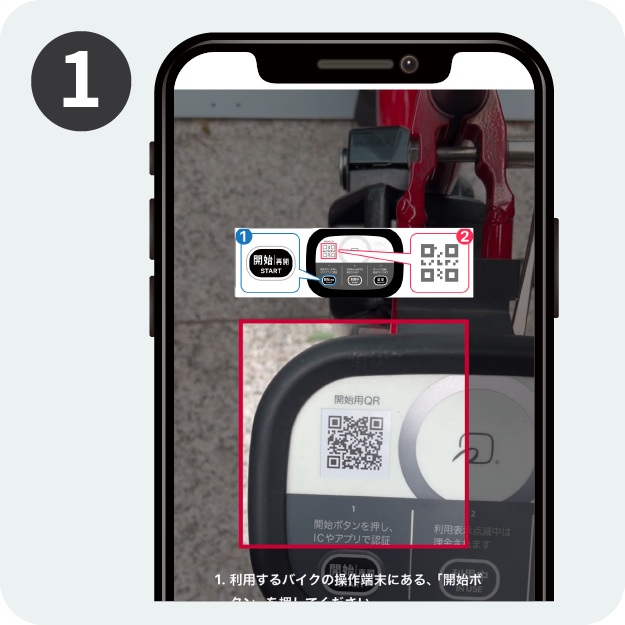
Reserve a bike or select a round control panel from the Unlock menu to display the QR code scanning screen.
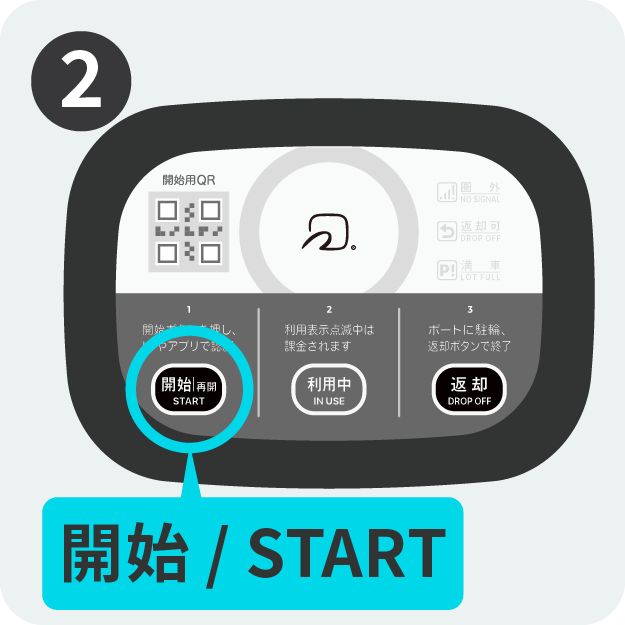
Press the "START" button.
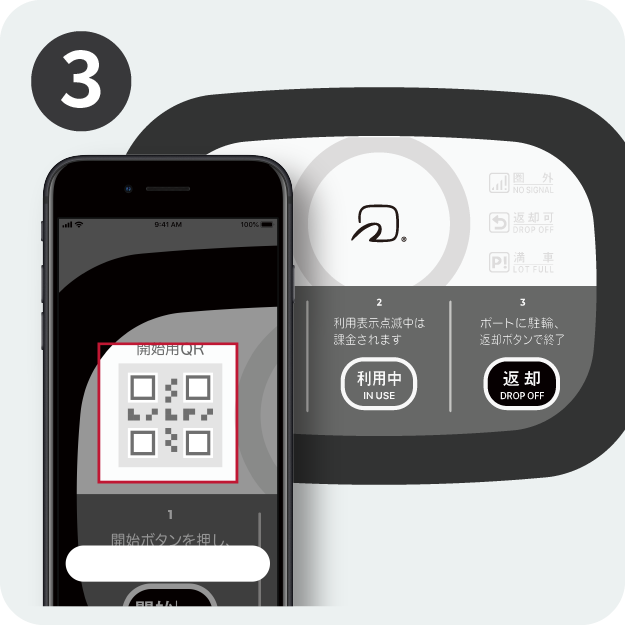
Read the QR code.
*If you are using an IC card, please open the lock by holding the card over your head.
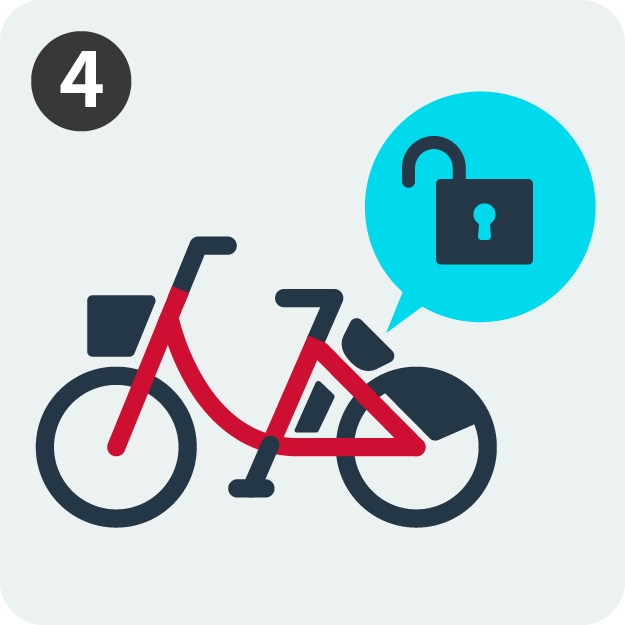
Key unlocked and ready to use.
 How to Unlock a Square Console Terminal
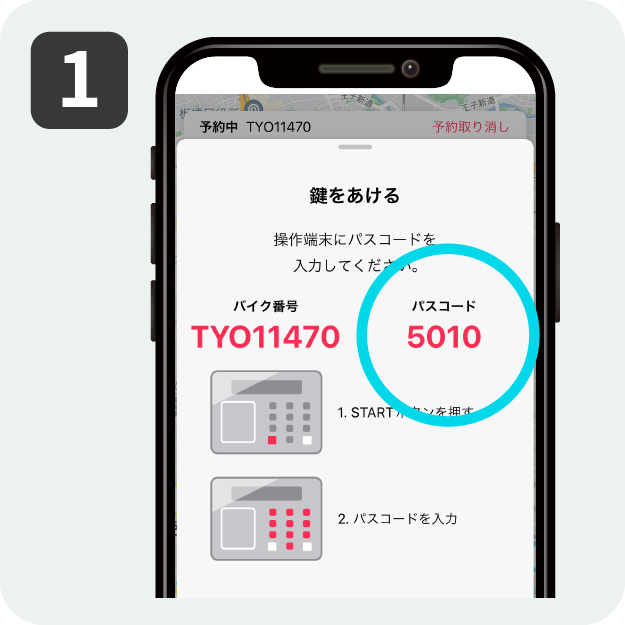
Reserve a bike or select a square control panel from the unlock menu to get a 4-digit passcode.
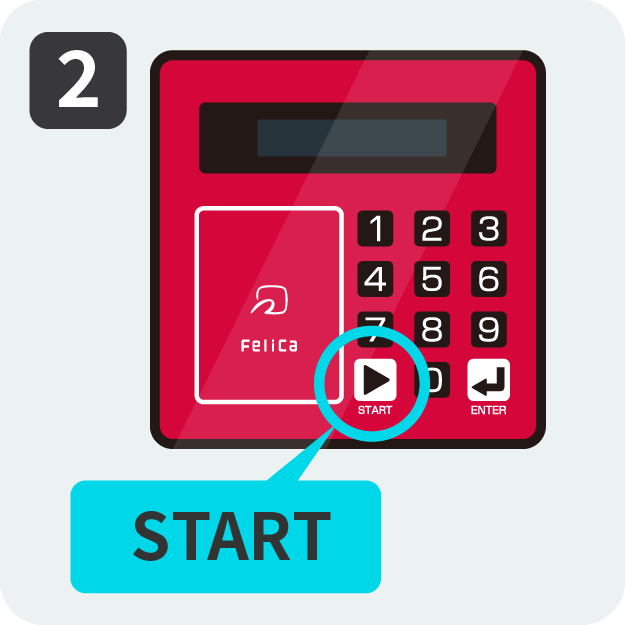
Press the "START" button.
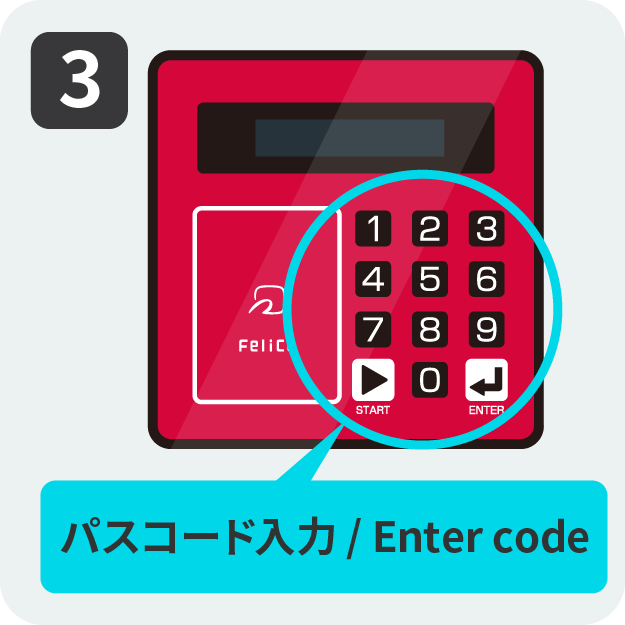
Enter the passcode (4 digits)
*If you are using an IC card, you do not need to enter the passcode.
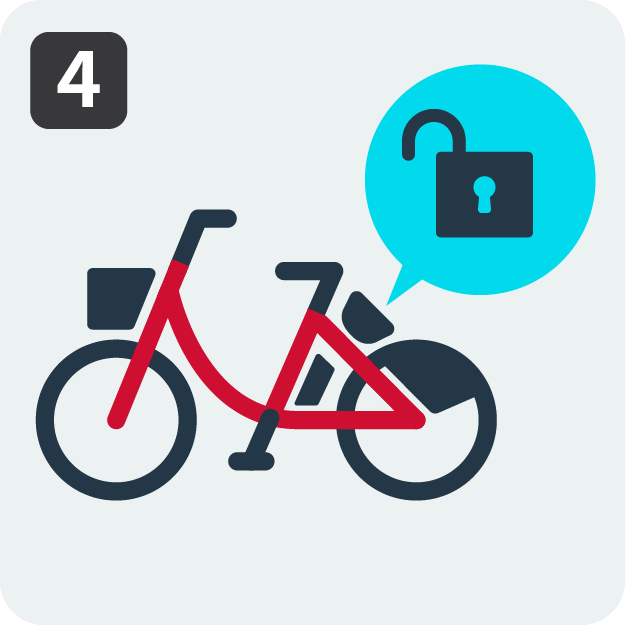
Key unlocked and ready to use.
▶Check out the flow of use in the video.
*The video is a use case with QR code reading (round operation terminal).
Temporary parking
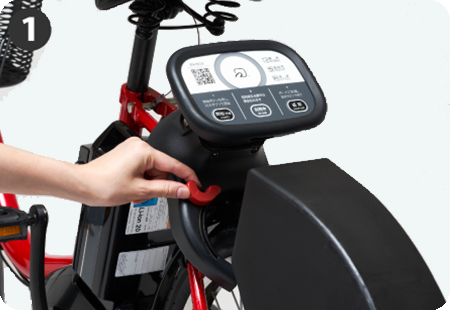
Park your bicycle where it is allowed to be parked and manually lock it at the rear of the bicycle.
*Temporary bicycle parking is also subject to usage fees.
*Please note that temporary bicycle parking in the port will result in an automatic return of the bicycle.
*Please push the orange knob while locking the door.When locking is completed, a “lock confirmation notification” will be sent to your registered e-mail address.

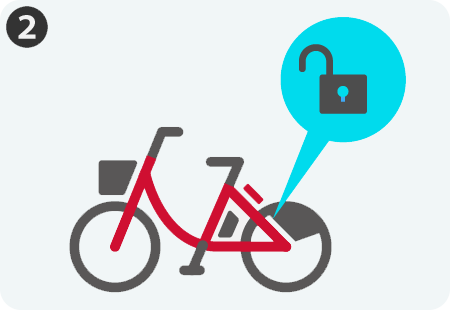
Press the "START" button on the bike and unlock it in the same way you did when you borrowed it, then resume using it.
▶️Check out he video of the temporary bicycle parking process.
*The video is a use case with QR code reading (round operation terminal).
Return
Please check the port of return.Some ports have limited hours of operation and bicycle parking.
You cannot return across the area.
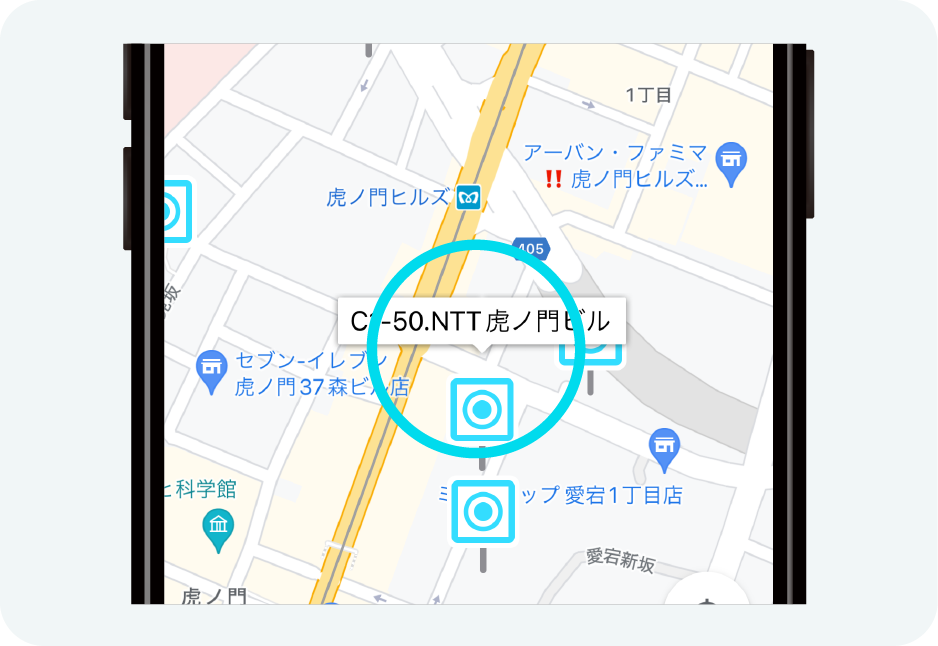
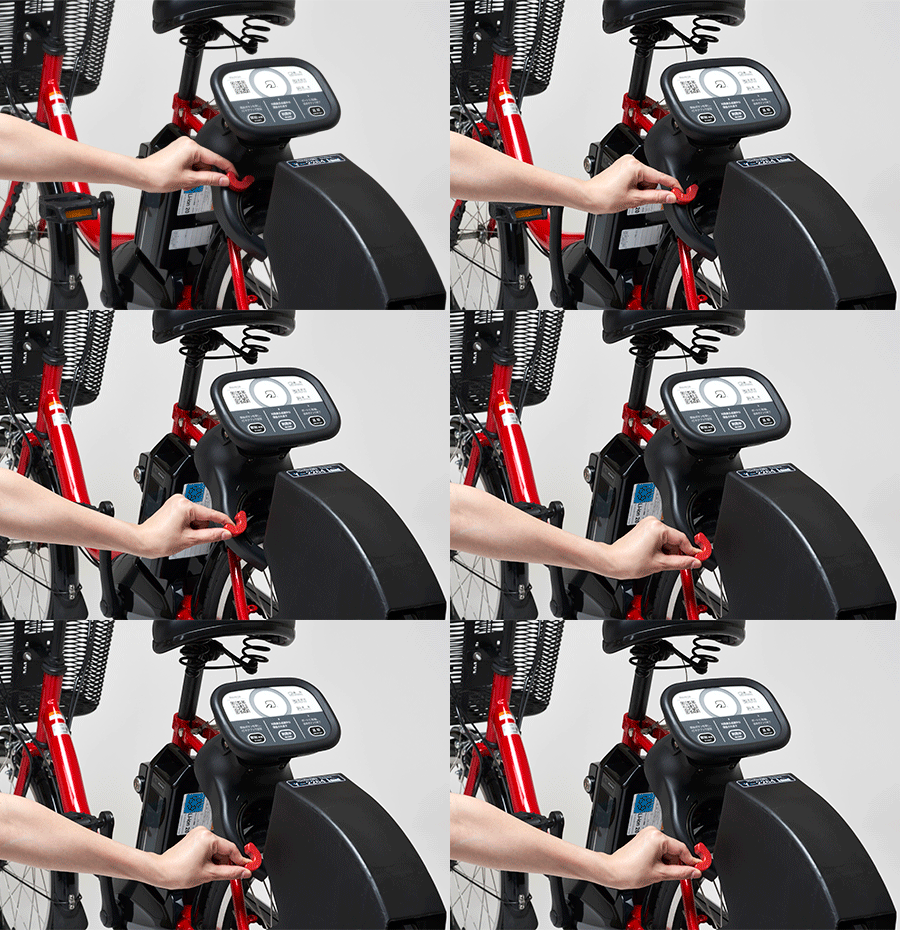
"Park the bicycle in the cycle port and manually lock it at the rear of the bicycle.
*If the key is difficult to lock, try moving the rear wheel slightly. The spokes may interfere with the key and prevent it from locking."
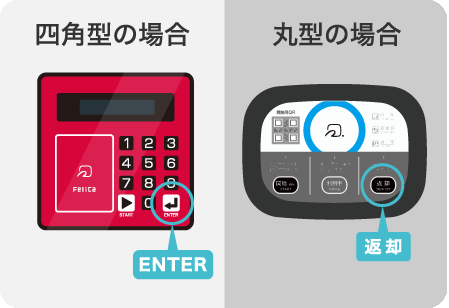
For the square key, press the "ENTER" button on the bicycle, and when "Return" appears on the panel, the return is complete.
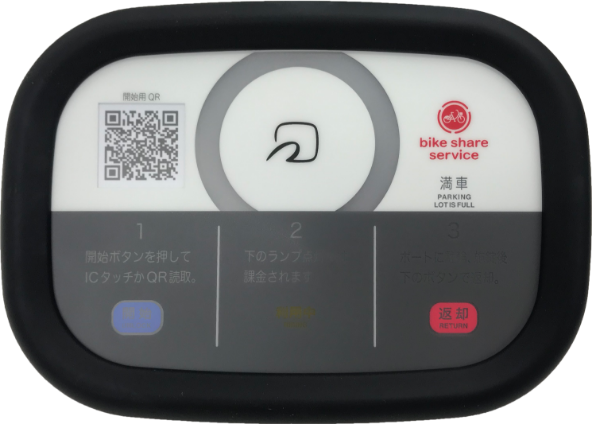
The round operation terminal is completed when the "Returnable" light on the bicycle glows, press the "Return" button, and the ring turns blue.
Please check the Notification > Notification to You in the app menu to receive a notification that your return has been completed.
▶️Check out the video of the return process.
*The video is a use case with QR code reading (round operation terminal).
POINTYou can reserve a return port while using the bicycle.
Return port reservations are also available!
You can make a reservation for return from the port details screen of the app while using the bike.Click the “Reserve for return at this port” button on the screen of the port details to be returned, and confirm the notes to reserve a port slot for 30 minutes.At ports where the number of bicycles parked is limited, it is safer to make a return port reservation.
-If the port is full, return port reservations cannot be made.
-If there is space available at a port, you can return your equipment without making a reservation for a return port.*If your return appointment is after business hours, please return the car during business hours.
-If the return port reservation time falls outside of business hours, the reservation will be cancelled. Please return during business hours.
-If the vehicle is returned to a port other than the one reserved for the return port, the return reservation will be automatically cancelled.
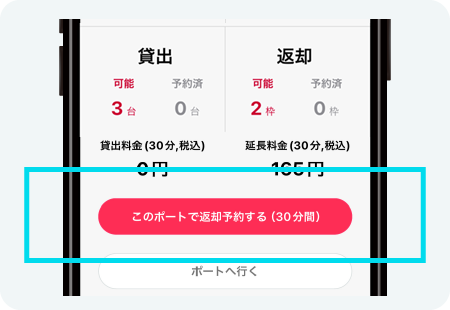
Favorites
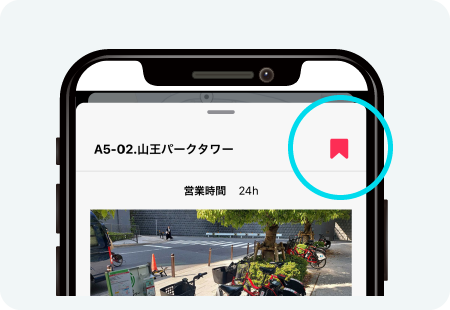
By registering frequently used ports as favorites, information can be quickly accessed.
Please use this service to make reservations before use or upon return.
You can add a favorite by clicking the bookmark icon on the port details screen.
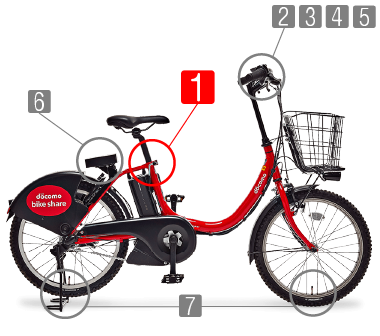
POINTMain points you check before riding the bicycle
(1)Saddle
Adjust the saddle to a height where both feet can touch the ground when straddling it
*The saddle must be inserted at least 12 cm into the bicycle frame
*There is a line-shaped marker on the saddle post (pole) indicating the maximum height limit
(2)Brakes
Squeeze both the left and right brake levers and confirm they engage firmly
(3)Tires
The tires must be sufficiently inflated and free from noticeable damage or wear
(4)Lights and Reflectors
The light on the handlebar panel must be turned on, and reflectors must be attached on the front, rear, and sides
*Please visually confirm that the light is actually lit
(5)Body (Frame, Handlebar)
The bicycle frame must be free of bends or distortions
The handlebar must not bend or wobble
(6)Bell (Warning Device)
It must be positioned so it can be rung immediately, and it must produce a clear sound
(7)Battery Level
Sufficient battery must remain for the planned riding distance
*If the battery level is 0, you may not be able to return the bicycle
(8)Control Terminal
Square type: When the START button is pressed, the green lamp blinks and the "Card/Code" display appears
Round type: When the start button is pressed, the ring in the center of the terminal blinks blue
We ask for your understanding and cooperation in order to ensure safe use of the service.